CMC Speed Test: Official tool to report internet performance in Iraq
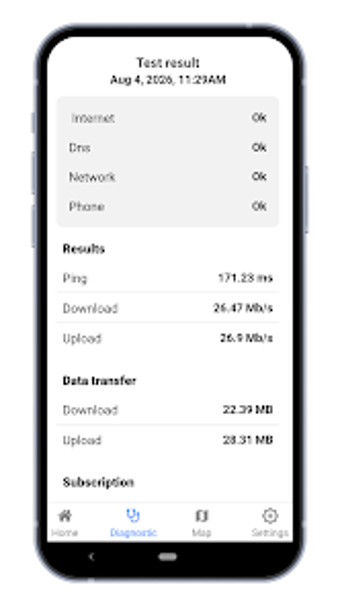
CMC Speed Test gives Iraqi residents and businesses a government-backed channel for measuring their internet and reporting poor service, developed by the Communications and Media Commission of Iraq. The app runs network tests to quantify connection quality and collect anonymized data for regulator analysis. It also offers interactive operator maps and stores past results for trend review. Intended for users who need documented evidence of substandard service, it connects individual tests to national monitoring efforts.
How the tool measures connection quality in local networks
The app performs regulated tests against servers placed inside the country and records core network metrics to produce regulator-useful results. Measurements include download and upload throughput, latency, jitter, and packet loss, and tests run over cellular links from 2G to 5G as well as over local Wi‑Fi. Using regional servers and tuned test parameters makes the numbers reflect local operator conditions rather than distant international paths.
Does the app require location or special device access to work accurately?
Because the service produces location-aware coverage maps and operator comparisons, it requires a stable GPS signal on Android devices to attach coordinates to test samples. Android permissions for location and network access therefore determine whether a test can generate map-tagged reports. Tests without reliable positioning still return raw throughput values but lack the geolocation detail the regulator uses for mapping.
Is it safe to send reports and how is user data handled?
The developer collects network quality data anonymously and stores it in a secure CMC database intended for monitoring and planning; the app also includes a direct reporting function that files service complaints and performance tickets with the CMC Support Center. This workflow lets users submit documented evidence while avoiding personally identifiable tagging of measurements, so contributions feed the regulator's dataset without attaching individual identity to entries.
Who benefits most and what practical limitations should users expect?
The app is aimed at Iraqi residents and businesses that need documented evidence to escalate persistent connectivity problems to regulators. Early adoption exceeded 50,000 downloads shortly after launch, indicating active civic engagement. Practical limitations arise because remedial action depends on regulatory follow-up and operator infrastructure changes outside the app's scope; users should treat the app as a reporting instrument rather than an instant remedy.
A practical civic monitoring tool for documented complaints
The app is a practical instrument for users focused on creating documented evidence to support formal complaints to regulators; those who routinely record tests and group reports gain procedural value when pursuing resolution. A practical tip: run multiple measurements at consistent times of day to build a baseline before filing tickets. It suits civic-minded users more than casual speed testers. Recommended.